Help
Step-by-step user manual: search, browse genes & diseases, pathway analysis, enrichment, comorbidity, and more.
Diseases
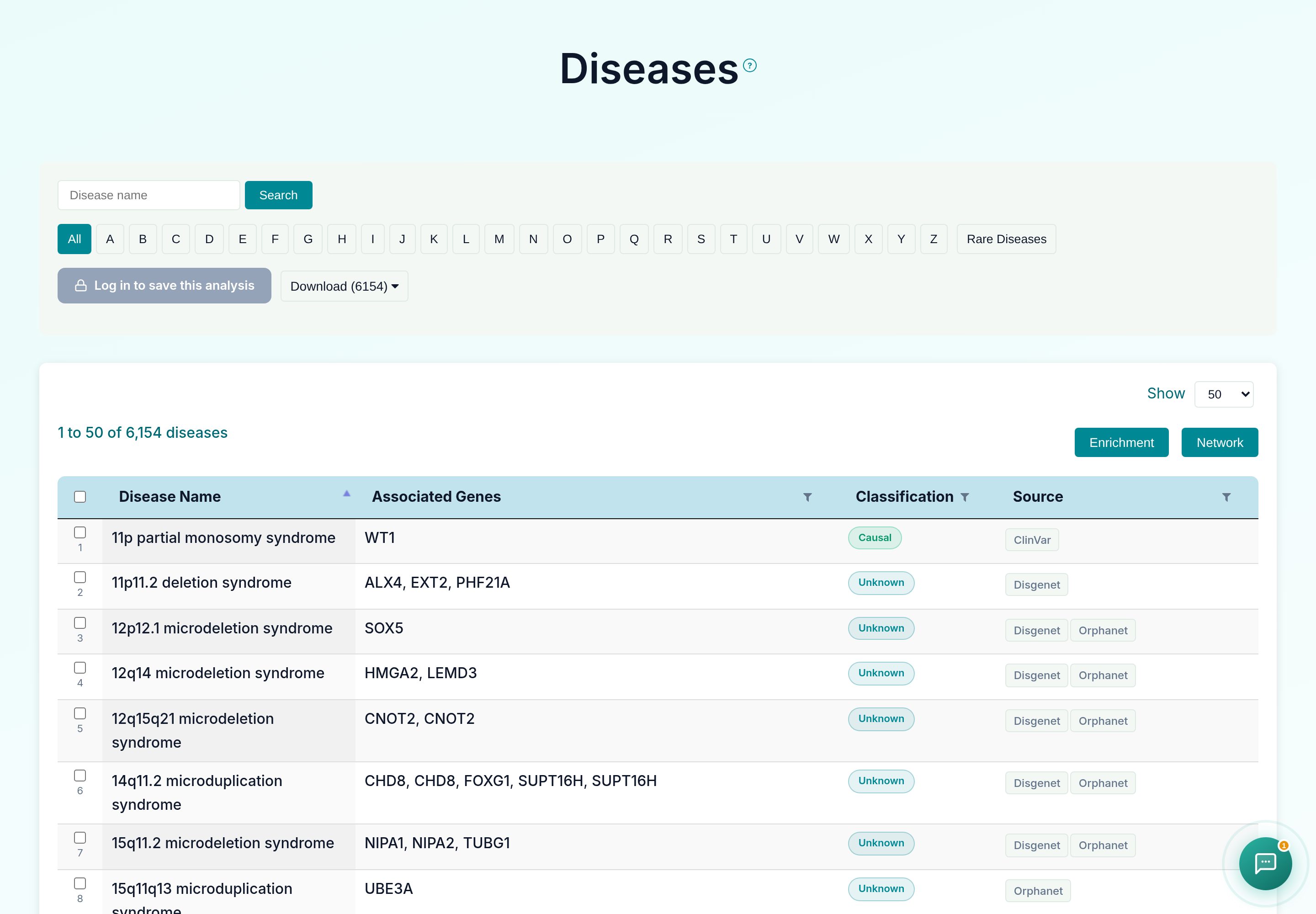
The Diseases associated with genes present in the database can be viewed using this option. Every record is hyperlinked to a disease information page, where all terms associated with the disease name, associated ids, gene symbols and references are available. Results can be filtered by gene symbol, classification (All / Causal only / Unknown only), and evidence source (ClinVar, Orphanet, DisGeNet, CTD, HPO, GWAS Catalog, GenCC, ClinGen), and browsed alphabetically or via the "Rare Diseases" button. Links to the Disease page and associated genes are provided, along with the disease's classification and source. Users can download the entire table dataset or export only specifically chosen diseases and entries, with optional Classification and Source columns and a choice of TSV or CSV format, using the download controls above the table.
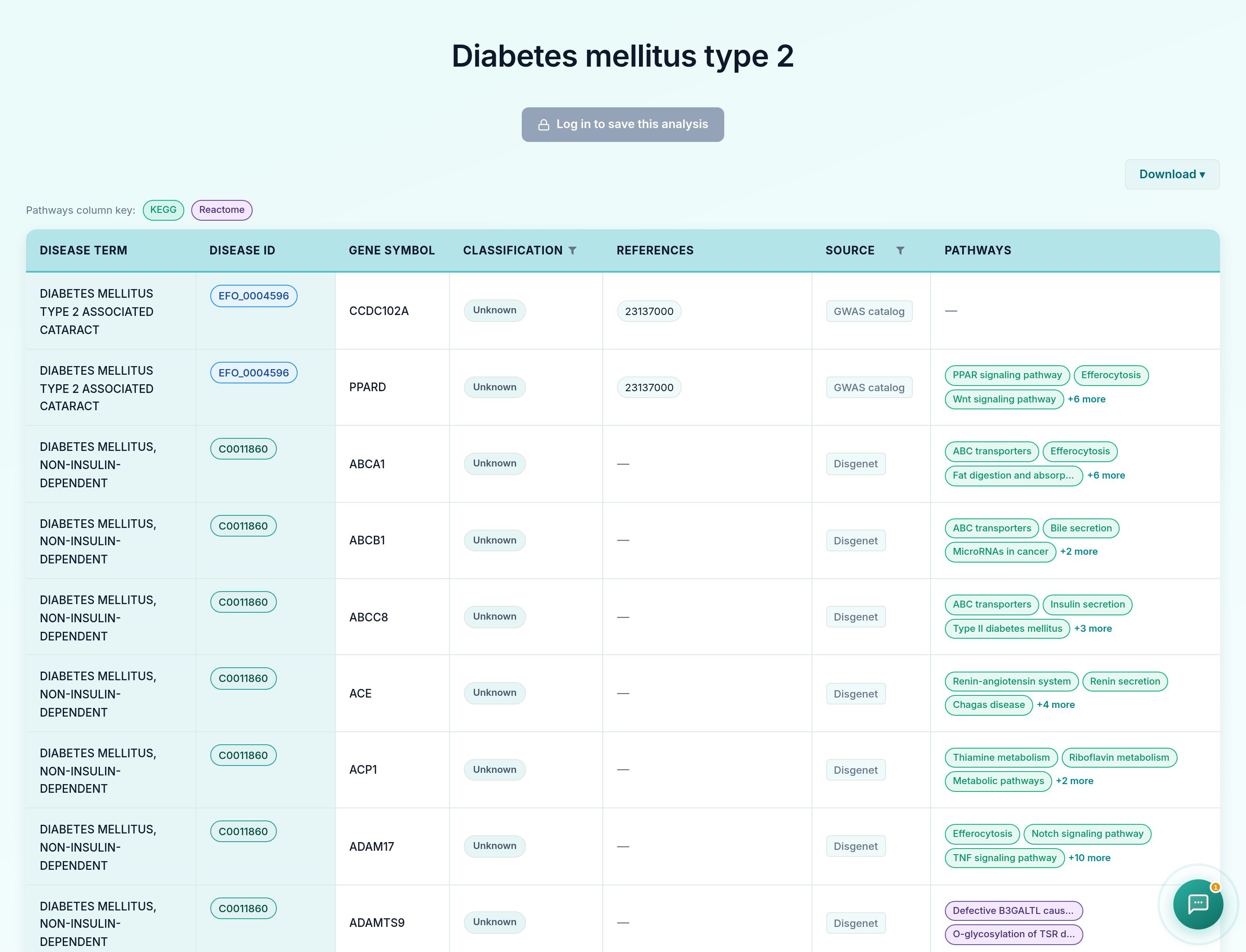
Clicking on a disease name opens its detail page, listing every gene associated with that disease along with classification, references, source, and linked KEGG/Reactome pathways.
Users can select diseases to do enrichment analysis, gene network analysis. The selected diseases genes will redirect to enrichment page on clicking on enrichment button. The network button represents the enriched genes (and bottleneck and hub genes) of the selected diseases associated genes. They're displayed in the order of the three scores: degree, closeness centrality and betweeness centrality. A "view interaction" button under the "View tissue specific interaction" column in the table. By clicking on it, a tissue specific interaction network is obtained.
The Rare Diseases tab displays a list of rare diseases available in GeDiPNet. Users can return to viewing all diseases by clicking the 'Show All Diseases' button.