What's New in GeDiPNet v2 (Part 1)
GeDiPNet has had a major overhaul. This is Part 1 of our v2 round-up, covering everything through mid-September: a brand-new Drug Deep-Dive feature and an AI assistant, a rebuilt results page for every analysis tool, more powerful browse/search, broader underlying data, a full visual and mobile redesign, and a stack of account, submission, and admin improvements behind the scenes. Part 2, covering everything added since, is on the way.
- Analysis result pages, rebuilt
- New: Drug Deep-Dive for polypharmacology
- Browse pages, much more powerful
- Search results, smarter and more flexible
- Venn analysis, fixed and expanded
- Gene/Disease detail & the pathway tree
- Network visualizations
- Statistics page
- Site-wide redesign and mobile support
- The GeDiPNet AI Assistant
- New content: blog, case study & guides
- Accounts & profile
- Submitter tools & saved analyses
- Bug fixes & V2 promotion
- Admin tooling
- Related genes, diseases & pathways
- Domain Enrichment analysis
1. Analysis result pages, rebuilt
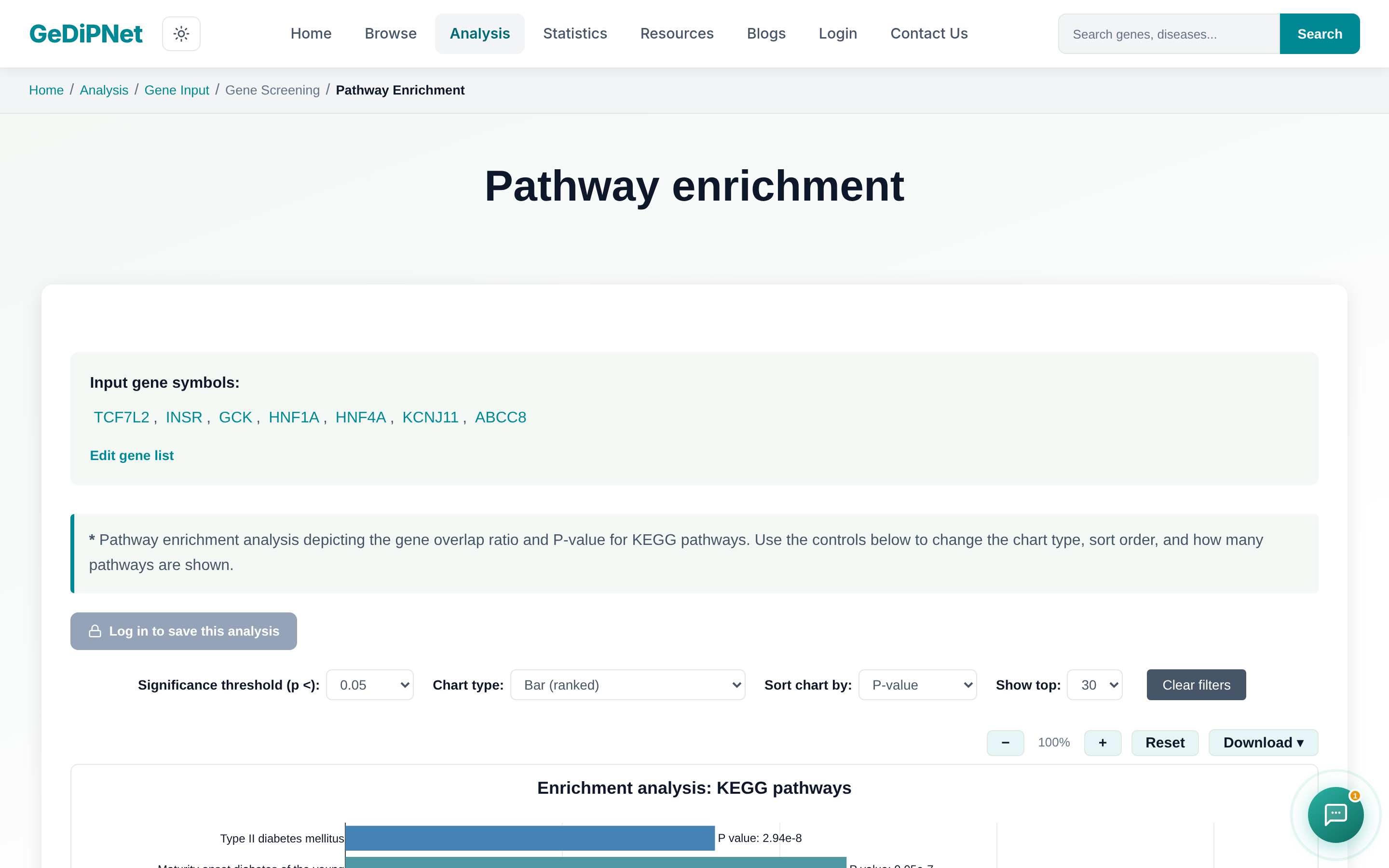
All four analysis tools — Enrichment, Venn, Comorbidity, and Polypharmacological Target Prediction — got the same overhaul: every results table is now a sortable, searchable, paginated DataTable with min-genes-matched/sort-by/category filters, row selection with highlighting, a "select top N by p-value" shortcut, and an "Edit gene list" box to tweak and resubmit input. Every chart gained sort-by/top-N controls, bar/bubble toggles, a significance color gradient, zoom/pan, click-through from a chart point to its table row, and every plain-TSV download became a CSV/PDF/PNG/JPEG export with a metadata header.
2. New: Drug Deep-Dive for polypharmacology
The Polypharmacological Target Prediction results page has a brand-new Drug Deep-Dive section for studying one particular candidate drug in depth. Pick any drug from the Drug Targets tab and click "Analyze further" to pull in, for that specific drug and its predicted target:
- Clinical Trial Status — real ClinicalTrials.gov results for this drug against the disease(s) you queried, so you immediately know if it's already approved, in trial, or a genuinely novel repurposing candidate.
- Tissue Expression — real GTEx data showing whether the target gene is actually expressed in tissue relevant to the disease.
- Transcriptomic Cross-reference — relevant Expression Atlas studies for the disease, plus real TCGA cohort expression data (via cBioPortal) when the disease is cancer-related.
- Side Effects — known, on-label side effects (SIDER) alongside statistically significant off-label signals from FDA adverse event reports (OFFSIDES).
- ADMET Screening — absorption, distribution, metabolism, excretion, and toxicity predictions, including blood-brain barrier penetration and drug-likeness.
Each of the 5 tabs now loads only when you click its own "Analyze" button, instead of all 5 loading together and slowing the page down. The section also has its own glossary, table filters, and export/evidence-source links on every result, and the AI assistant can explain how to interpret any of the 5 tabs (plus the other 2 result sections on this page) automatically, based on what you're looking at.
3. Browse pages, much more powerful
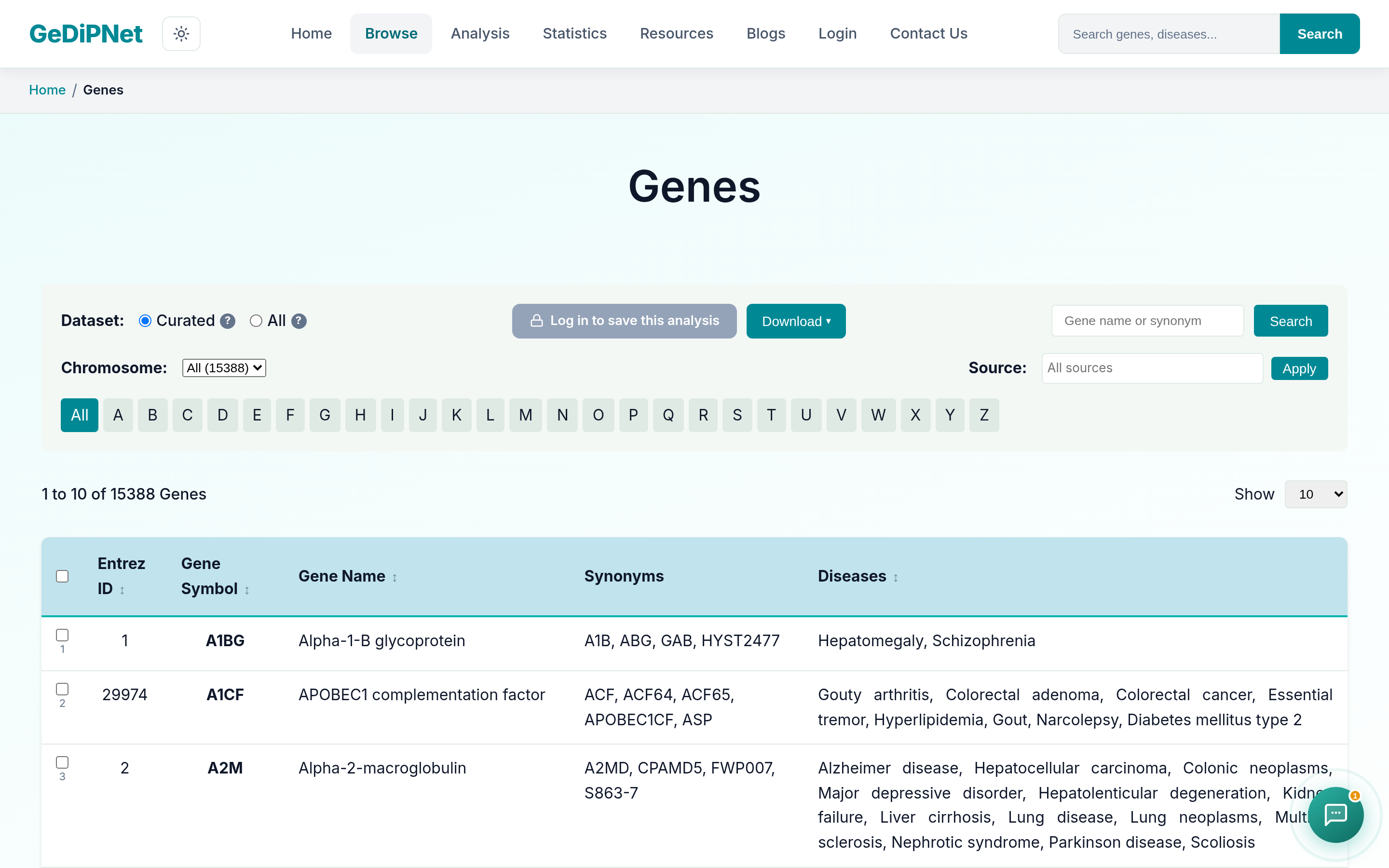
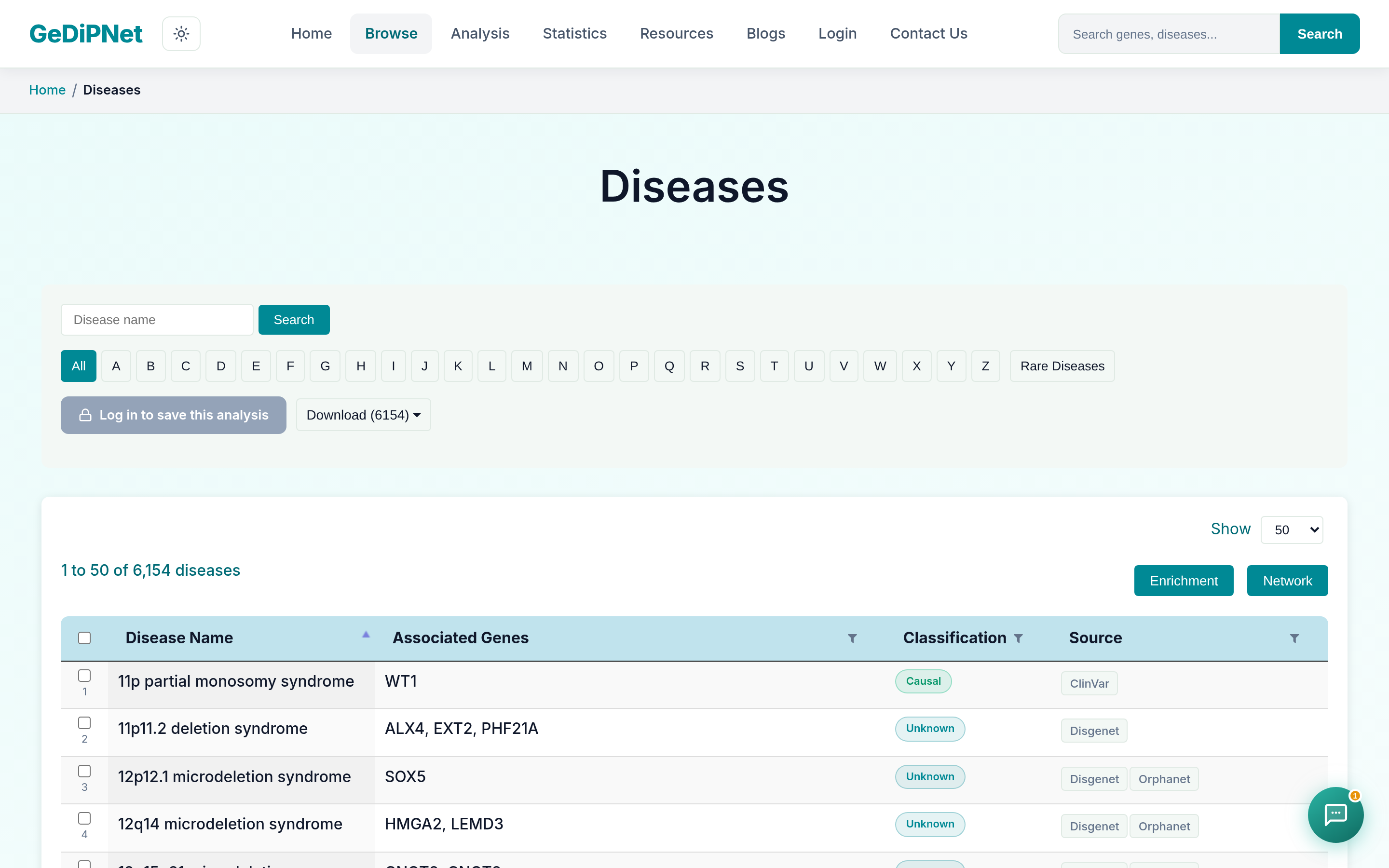
Every Browse page — Diseases, Genes, SNPs, Proteins, KEGG, and Reactome pathways — gained real filters (classification/source for diseases; chromosome/type/source for genes), sortable column headers, gene-symbol search boxes on the pathway browsers, sort-by dropdowns, and multi-format (CSV/JSON/PDF) downloads, including a download of just the filtered results.
4. Search results, smarter and more flexible
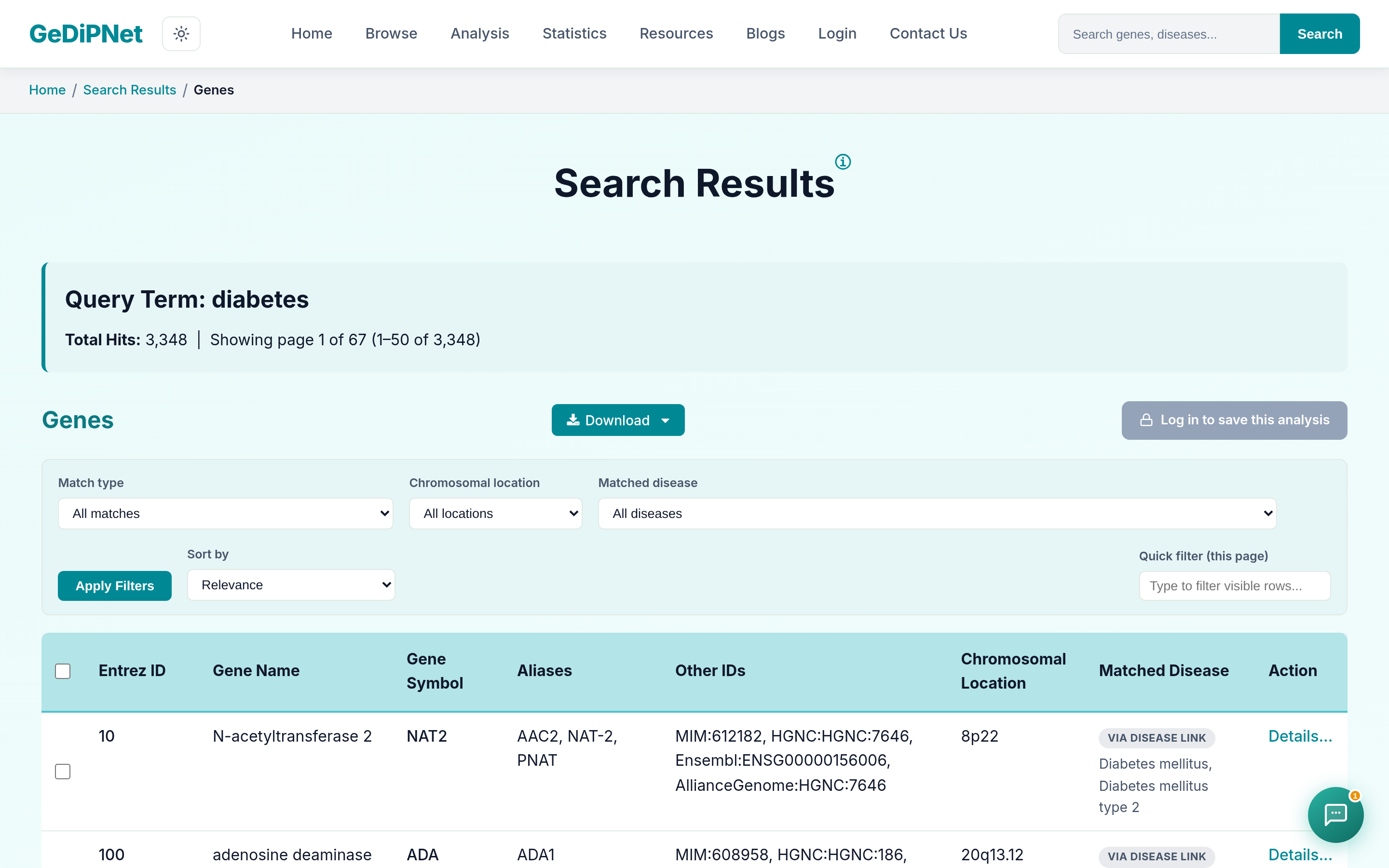
A live autocomplete dropdown now backs both the homepage search bar and the header's global search, combining gene and disease matches into one ranked, type-tagged list with keyboard navigation. On the search results page, all 5 categories (Genes, SNPs, Diseases, Proteins, Pathways) gained filter bars, sort dropdowns, an in-page text filter, and multi-format downloads — and gene/protein/pathway search now also matches via disease association, so searching "diabetes" surfaces genes and proteins linked to it through curated disease data, not just records whose own text happens to mention it.
5. Venn analysis, fixed and expanded
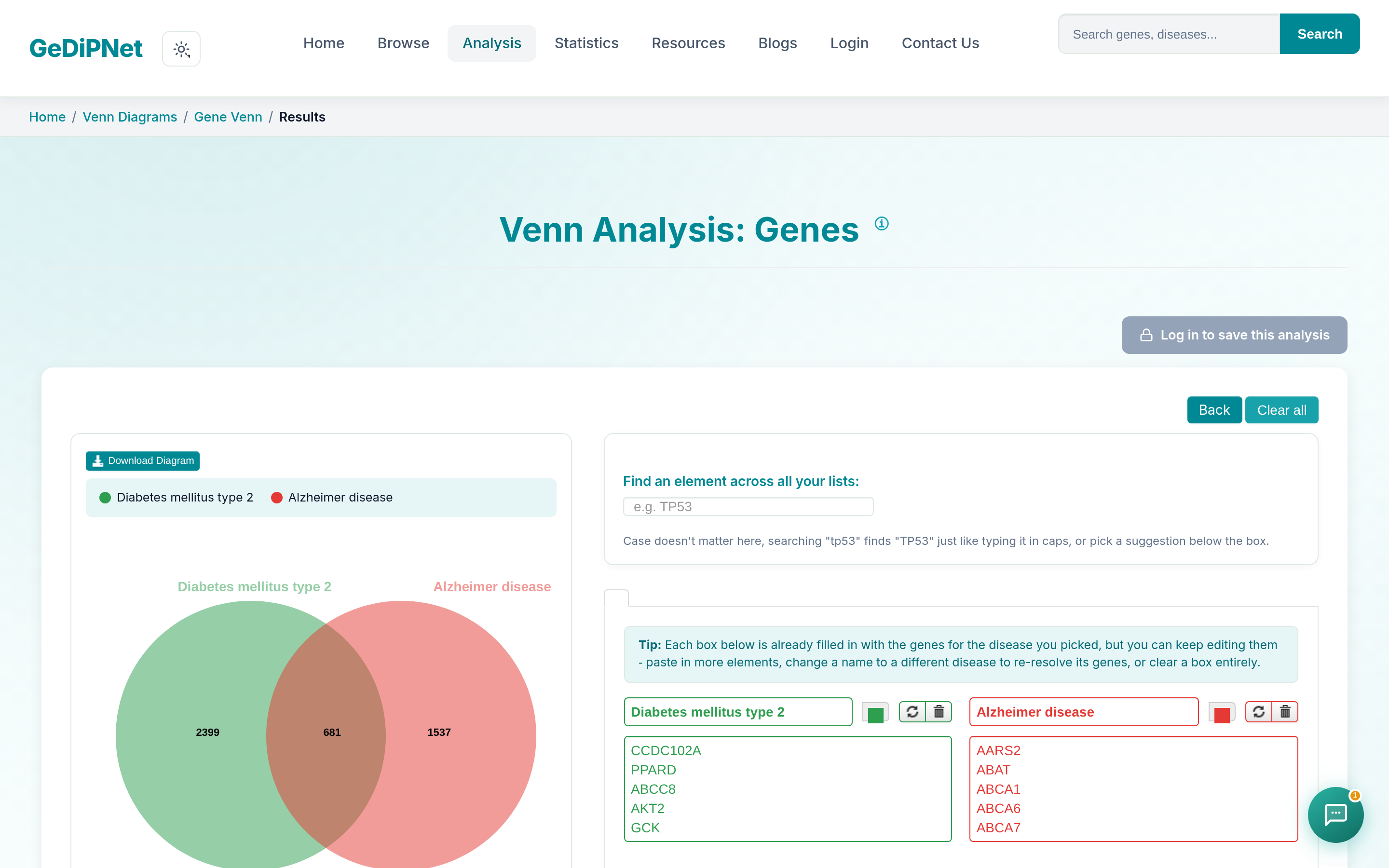
The Venn page itself was fixed (it wasn't working before — text-box gene/disease entry, counts, back/refresh, and the "Load Example" button all needed repair). Every Venn page across genes, pathways, GO, and domain now has download buttons for the diagram and full comparison table, a legend, suggestions dropdowns for element/disease search, case-insensitive duplicate handling, and the diagram now auto-redraws whenever a list is removed.
6. Gene/Disease detail & the pathway tree
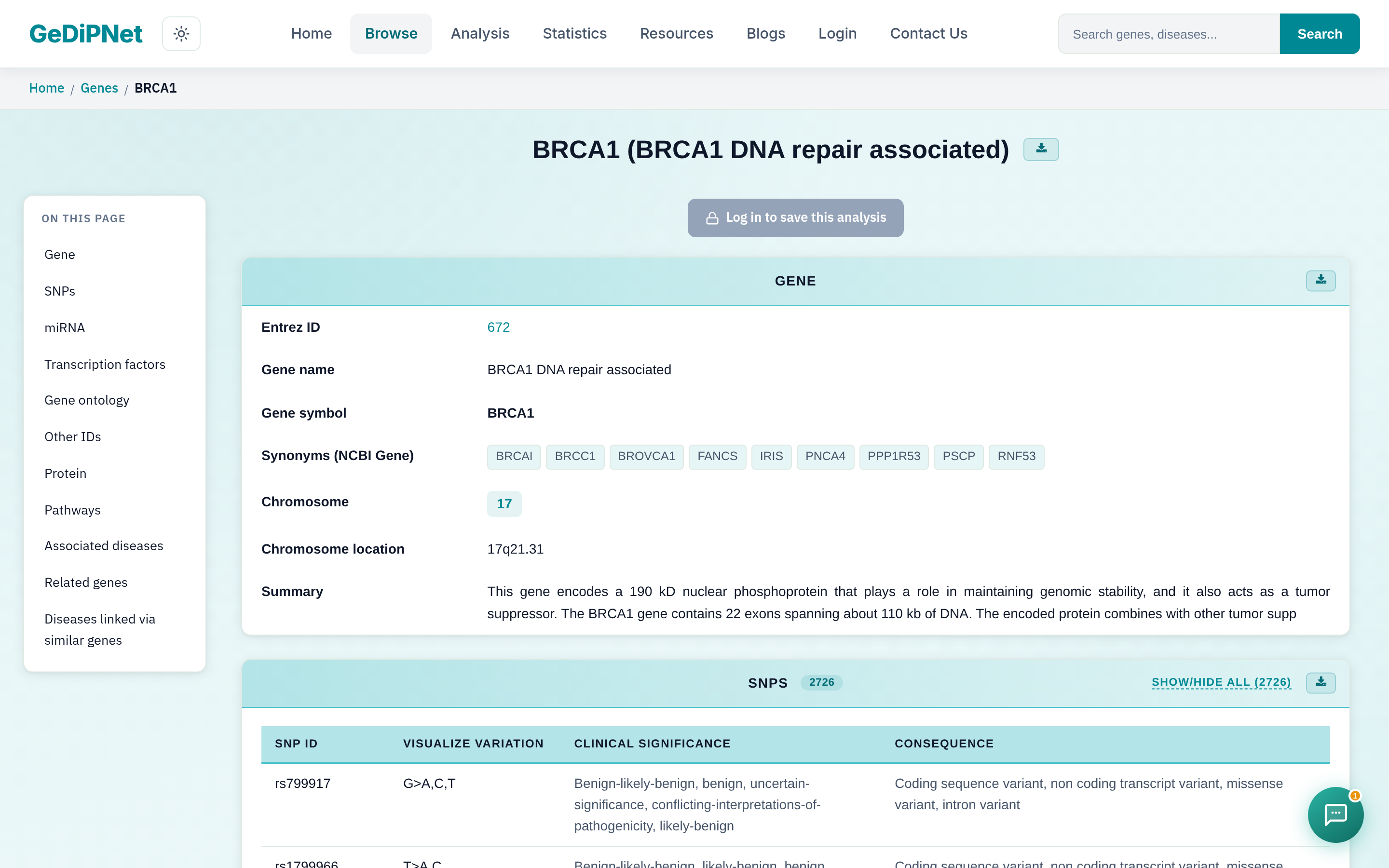
The gene detail page replaced its broken "Go to" buttons with a working navigation sidebar, and added per-tab downloads plus a full PDF/CSV export with clickable links. The disease detail page gained a Pathway column linking into the pathway tree, and the pathway tree itself gained zoom/pan/reset/back controls, disease-count filtering, and clickable gene nodes linking straight to their detail pages. Gene symbols and disease names are now clickable site-wide.
7. Network visualizations
The disease-gene network graphs now size nodes by degree, color-code hub and bottleneck genes, and make every node clickable through to its gene detail page. Hover tooltips show type/degree/closeness/betweenness, category toggles let you show or hide node types, and the accompanying table is now sortable and searchable with multi-format export.
8. Statistics page
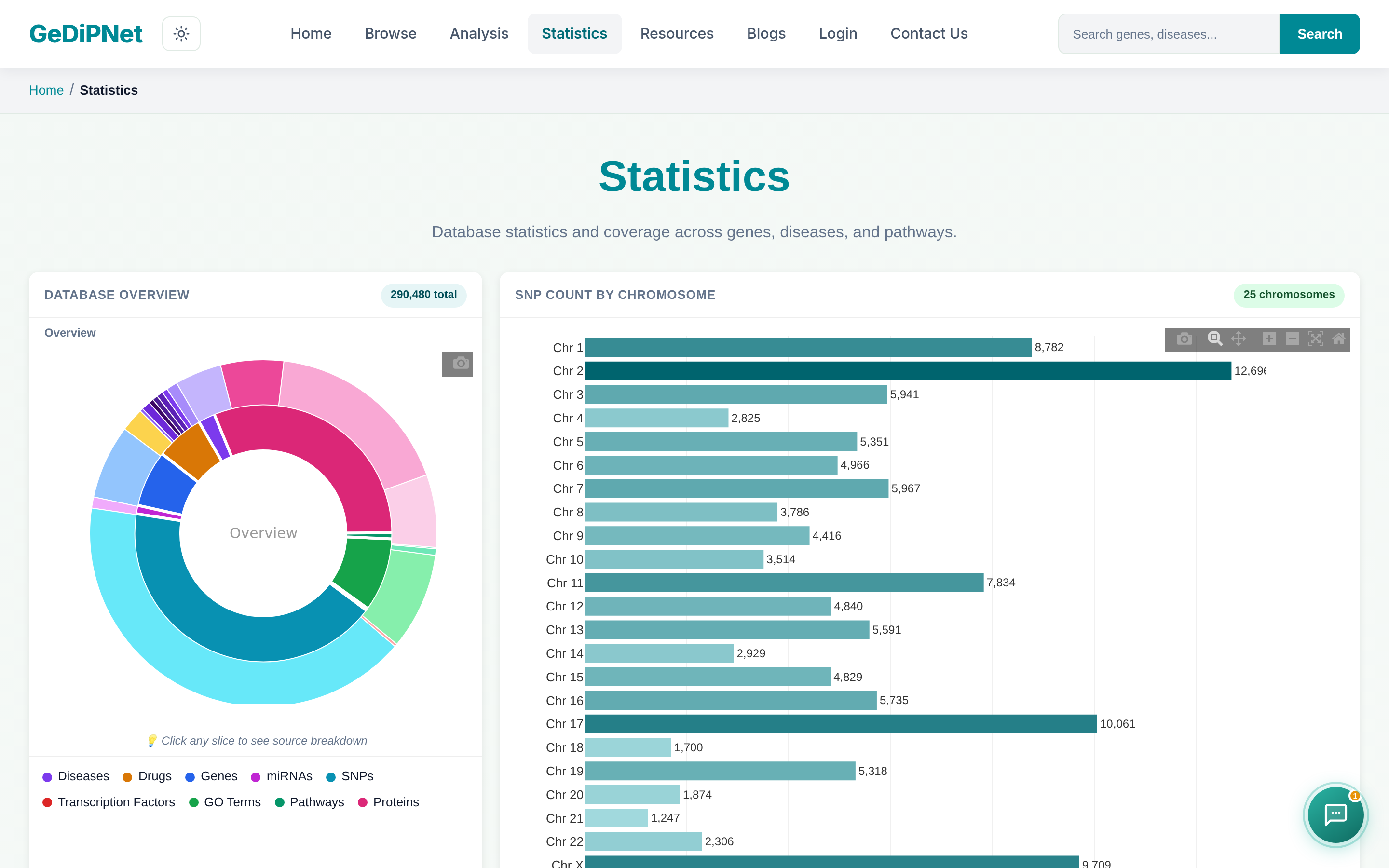
New cards were added for Disease Classification (rare vs. common, causal vs. candidate/unknown) and KEGG vs. Reactome Concordance. Every table on the page now has search/filter and CSV export, entity names are clickable through to their detail pages, sorting works alphabetically as well as by count, and charts carry a hover toolbar for zoom, pan, reset, and PNG download.
9. Site-wide redesign and mobile support
The whole site was restyled to a unified green/purple theme, made mobile-friendly (viewport tags added and every page checked on phone, with misaligned layouts fixed), and reworked to use the full page width instead of leaving unused space on the sides. Breadcrumb navigation and a one-line description under the nav bar were added throughout, and a "How to Use & Interpret Results" section was added to all 4 analysis pages for first-time users.
10. The GeDiPNet AI Assistant
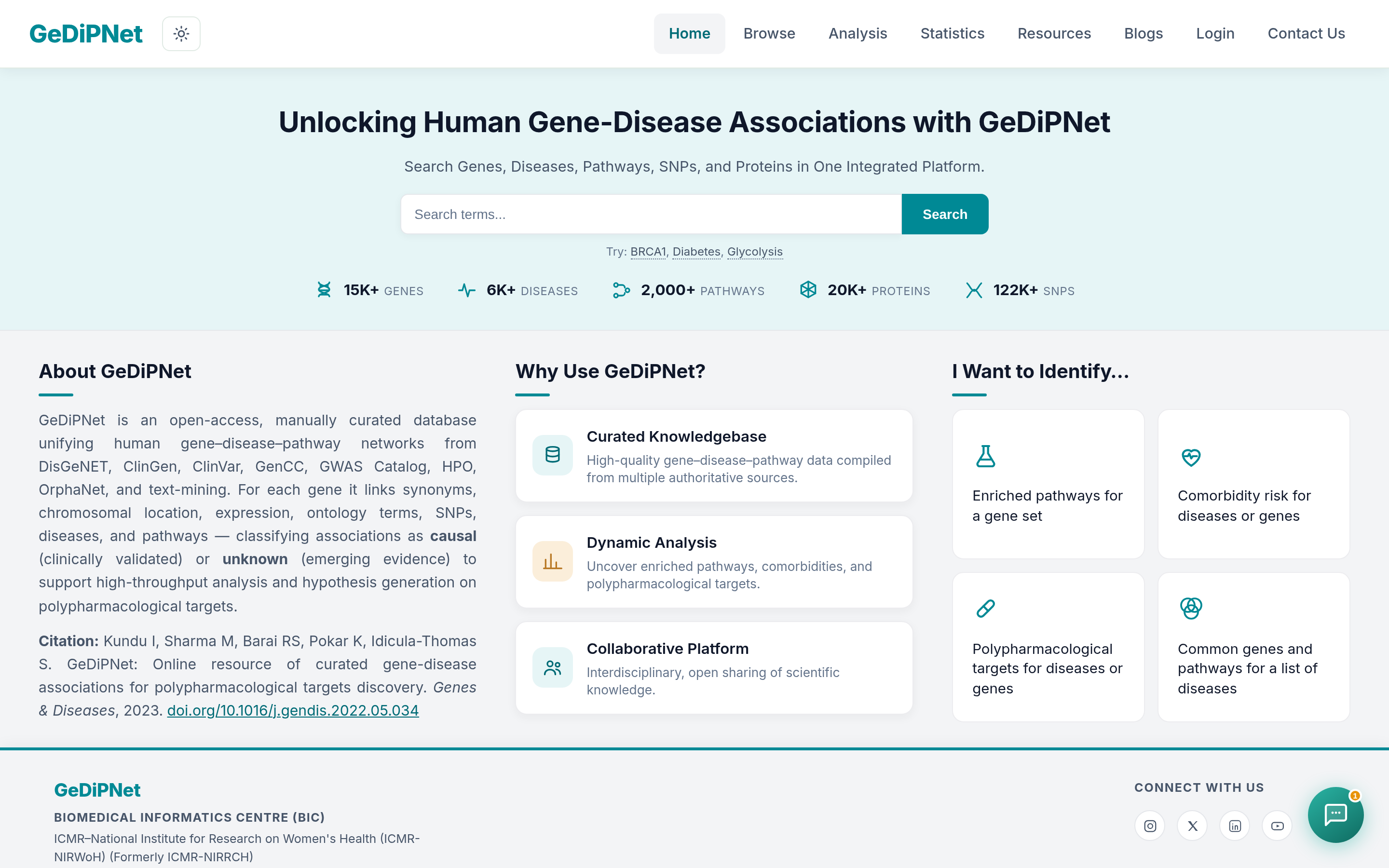
A chatbot is now available site-wide, restricted to answering only from GeDiPNet's own curated data — it won't make things up from general knowledge. It's on the homepage, every analysis results page, and all 5 browse pages, with page-specific suggested prompts (including a one-click "Summarize the results" prompt on every analysis page), a context-aware "How to Interpret" feature, direct links straight to a result page for basic searches, a conversation download button, and a minimize/maximize toggle. It now also retains memory across pages and is aware of which page you're on for faster, more relevant answers, its icon is draggable to reposition anywhere on screen, and a new Glossary tab in Resources backs its terminology explanations. Read the full guide: searching with plain-language questions.
11. New content: blog, case study & guides
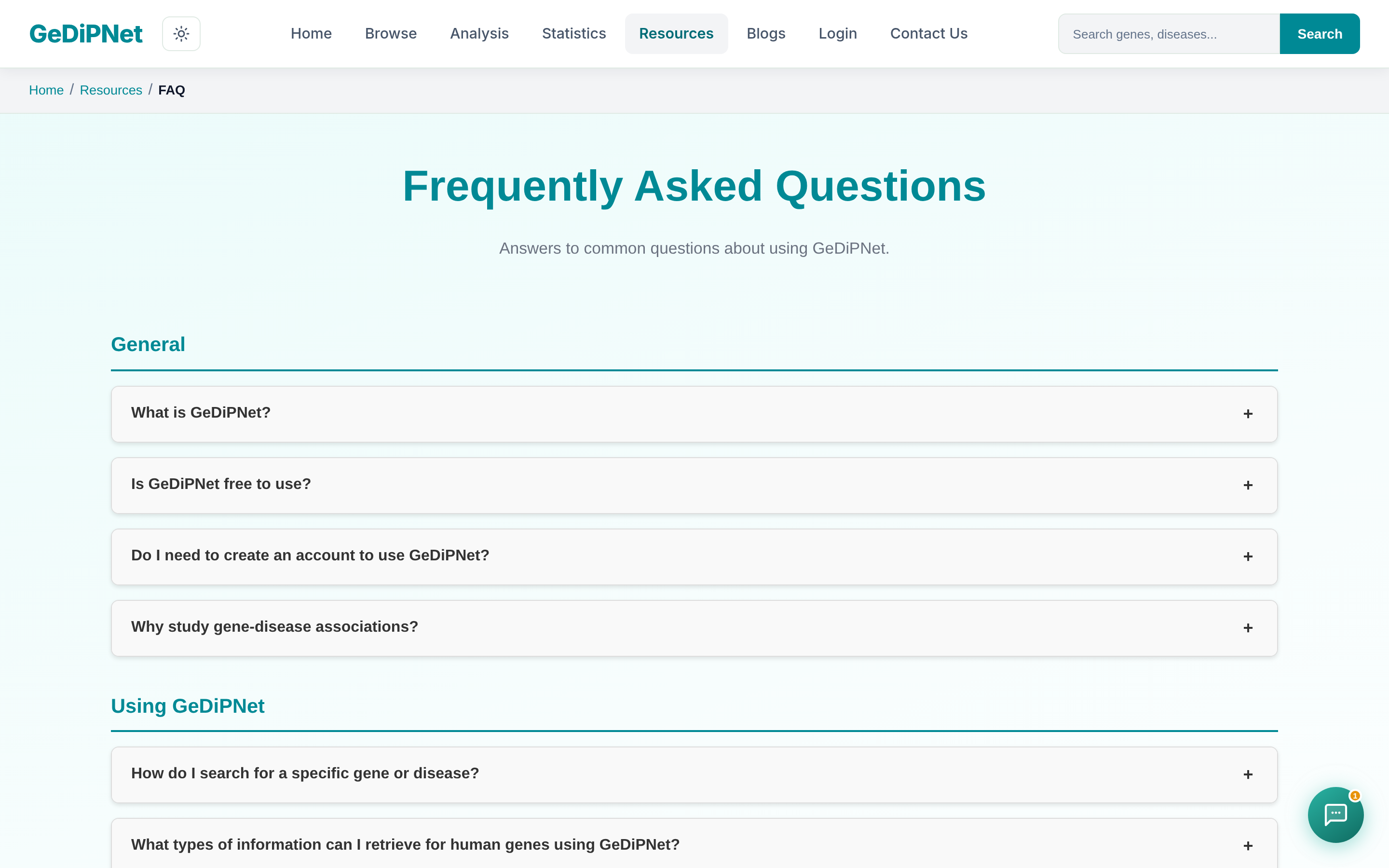
Added a Blog section (this post included) with SEO-optimized posts covering the AI assistant, comorbidity analysis, and choosing the right analysis tool, plus a biological-question case study walking through a real research question end-to-end. A Quick Link section was added to Resources for one-click access to key tools, and the Help and FAQ pages were refreshed with new screenshots and more targeted questions.
12. Accounts & profile
Registration and Edit Profile were overhauled with a password strength checklist, confirm-password match feedback, show/hide toggles, email verification with resend, and a token-based forgot-password flow. Profile now also includes Change Password, account deactivation, API key stats with regenerate/revoke, a Recent Logins panel (filter/sort/pagination), and optional Facility Type and Country fields (with Facility autocomplete) that auto-fill the submitter-application form instead of asking twice. A "Profile ▾" dropdown in the navbar replaced the static Login link.
13. Submitter tools & saved analyses
The submitter application flow now supports multi-round comment threads with admins (instead of one overwritable note), with a reply option in the profile's Recent Submissions section, a claim/unclaim button for admins, and a reopen option for items that need another look. Separately, a "Save This Analysis" button is now available across every enrichment, Venn, comorbidity, and polypharmacology page, the pathway tree, and all 5 search tabs, backed by a "My Saved Analyses" panel with type filtering, rename/delete, and a 50-item usage counter.
14. Bug fixes & V2 promotion
Fixed the polypharmacological analysis result tabs (previously not loading), the Statistics and Contact Us pages (previously crashing), and a "not found" error on pathway data in polypharmacology results. Comorbidity and Polypharmacological analysis can now also be run directly from a gene set, not just from diseases. To spread the word on v2, we published this blog post and put together a Google Form plus supporting materials (changelog, target audience, social platforms, sample form) to run a short community survey.
15. Admin tooling
Manage Users gained a required reason field for deactivation (logged to the audit log) and a bulk-deactivate option with one shared reason. The admin dashboard now has an "oldest pending" banner linking straight to the longest-waiting unreviewed item, and the Audit Log gained search, filtering (record type, admin, date range, free text), and CSV export. Admins can also set a notification preference (All/Applications only/Submissions only/None), and a new unified admin search page finds users, applications, and submissions by name, email, gene, disease, or ID in one place. A new "Saved Analyses Usage" section on the dashboard also shows stat counts, the most-bookmarked entities, and the most-used tags across all users.
16. Related genes, diseases & pathways
Gene, Disease, and Pathway Tree pages each gained a "Related" card-grid section — Related Genes, Related Diseases, and Related Pathways — ranking similar entities by Jaccard similarity: genes related via shared diseases, shared pathways, or a shared evidence source; diseases via shared genes; pathways via shared genes across both KEGG and Reactome.
- Each card shows stat badges that reveal the actual shared disease/pathway/gene/source names on hover, plus a "Why this rank" summary line explaining the relationship in plain language.
- A "Sort by" toggle above the Related Genes section lets you re-rank by different shared dimensions.
- A new "Diseases Linked via Similar Genes" section on the gene page surfaces diseases tied to a gene's most similar genes that aren't already directly linked to it.
- A collaborative-filtering signal factored in from bookmarks: genes/diseases bookmarked by the same users now contribute to the ranking, with a "shared users" badge shown once that overlap is 2 or more.
17. Domain Enrichment analysis
A new Domain Enrichment button on the main Analysis page runs Pfam domain enrichment directly from a gene list. The chart supports a bar/bubble toggle with "Color by" (p-value, domain type, or Pfam Clan) and "Bubble size by" (gene count or domain length) options, is zoomable, and downloads as an image. The results table adds a Domain type filter, a "Group by Clan" option, a Clan badge with hover tooltip, CSV/PDF export, and clickable gene names linking to gene domain details — plus a box listing any submitted genes that didn't match a Pfam domain. Checkboxes let you select domains to feed straight into Gene Network Analysis, alongside an "Edit gene list" box, a "Save This Analysis" button, and breadcrumb navigation.
See the case study for these tools used together on a real question, or ask the AI assistant directly. Feedback shapes what we build next: reach out via Contact Us.